Attack Interview 02 — What could run before the login screen
The code I wanted to see was the code that could run before I clicked anything in the app. In these samples, there were two places to start looking. One was VS Code’s task configuration. The other was the Node server’s import path.
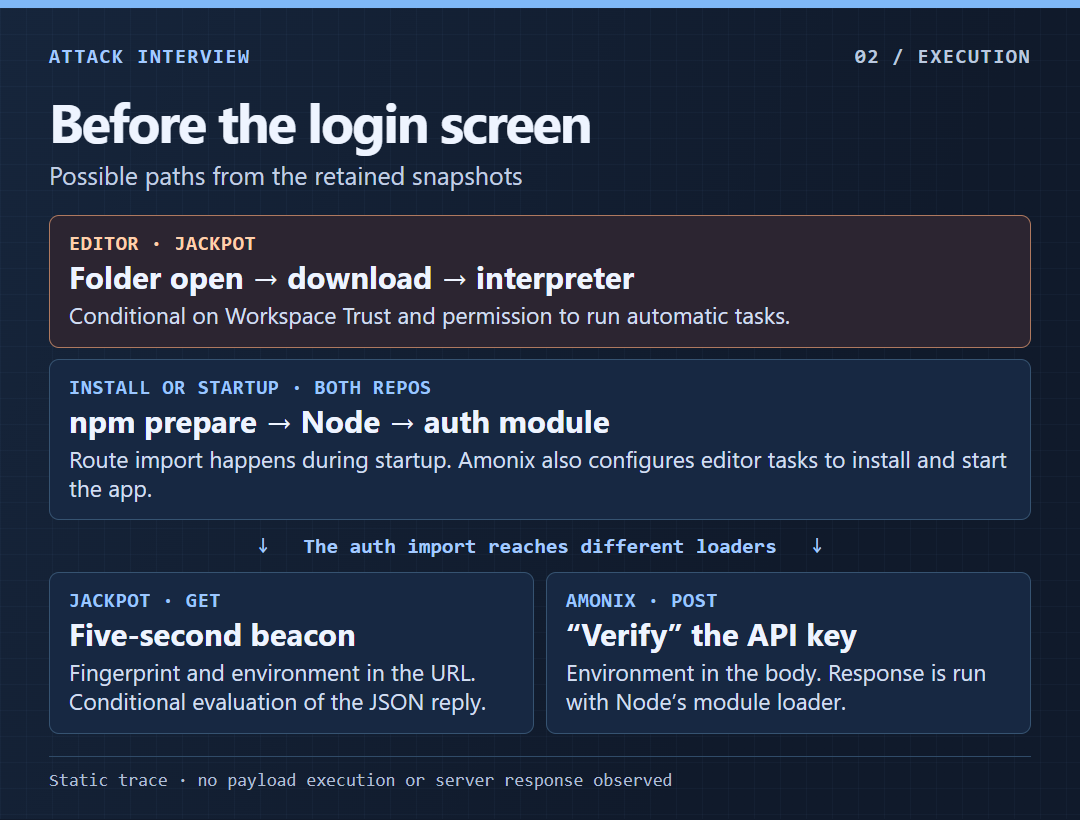
The folder-open tasks
Jackpot 3c9749cd6988 had two tasks with runOn: "folderOpen". The one named version-update invoked npm install. The one named env downloaded a response and passed it to a command interpreter. At lines 50, 52, and 54 of .vscode/tasks.json, the macOS, Linux, and Windows commands were preceded by 566, 564, and 562 spaces, respectively. The receiving programs were bash, sh, and cmd.
An older task in bb879a366cbe sent the downloaded response to Node instead. At the retained Amonix head, the tasks named install-root-modules and run-backend launched the npm install and backend, and the backend task depended on the install task. Both were configured for folder open. The editor path depends on Workspace Trust and permission to run automatic tasks. VS Code automatic tasks · VS Code Workspace Trust
Why npm and the auth module are one chain
The root package.json in both retained heads has the same blob, c9206c496fbf. Its prepare hook attempts to launch node server in the background using Windows and Unix shell idioms. A local npm install can run that lifecycle hook when scripts are enabled.
In both repos, server.js calls configureRoutes(app) before calling app.listen. This line from the retained route configuration loads the auth module at startup.
app.use('/api/auth', require('./api/auth'));The import executes the module’s top-level code. The application can reach the outbound request during startup, before a login or even a listening HTTP server. npm lifecycle scripts
Jackpot sends a GET every five seconds
At routes/api/auth.js:18, the line starts with module.exports = router;. After 784 spaces, it continues with an obfuscated program. The full line is 3,334 characters in the retained blob. An export assignment leaves the rest of the line executable.
The code rotates a string table and looks up names by numeric index. Reading those literals reveals a host fingerprint built from hostname, OS type, release and platform, plus a MAC address selected from a non-internal IPv4 interface if one is available. The request serializes that fingerprint into sysInfo and the Node process environment into processInfo. Both are query fields on a GET to plain HTTP port 1224, path /api/checkStatus. The other fields are tid and sysId.
The code attempts an initial request at import time, then calls it again every 0x1388 milliseconds, or 5 seconds. It parses the reply as JSON. When status equals error, it passes message to eval. A truthy returned sysId becomes the value sent in later requests.
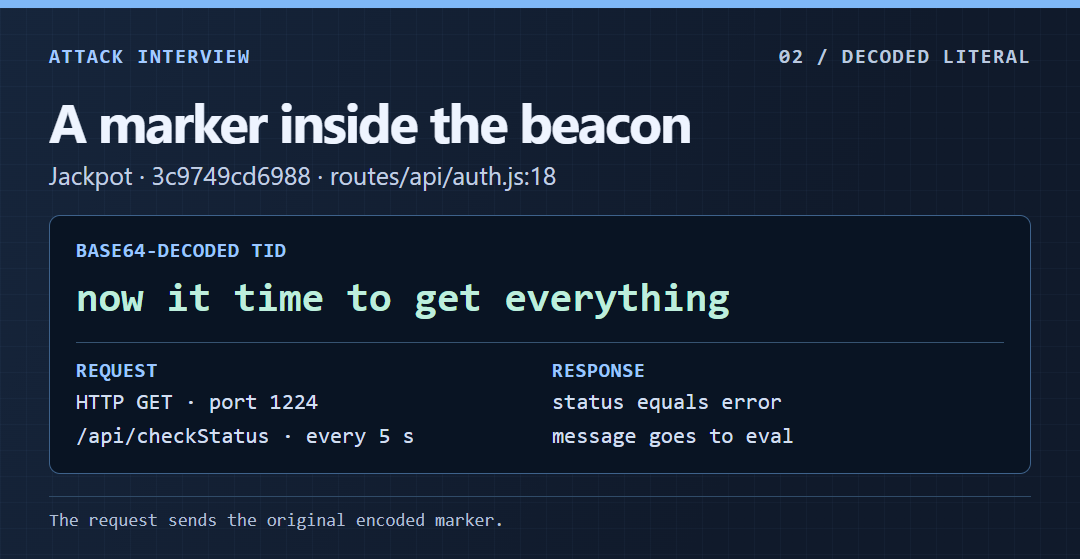
The tid value is sent in its encoded form. The figure shows its decoded text for analysis.
Amonix sends a POST and runs the response
At 82ab33b18b76, the server loads dotenv before configuring routes. The committed .env contains a Base64 AUTH_API value, which setApiKey decodes as a URL. At controllers/auth.js:57–63, verify sends a copy of process.env as the POST body with the header x-app-request: ip-check. At routes/api/auth.js:25–28, the response becomes the body of a new function and is called with Node’s require.
There is an odd detail at the top of that module. validateApiKey() is async, but the caller checks the returned Promise as a boolean without awaiting it. The Promise is truthy and the apparent gate does not wait for verification. The request has already been initiated.
Both heads also replace the password check with const isMatch = true; at controllers/auth.js:29. If the app were running with a database and an existing account, that could let a validly shaped login request bypass the password comparison. It is a separate flaw from the code that runs at startup.
These are static execution paths. The observed evidence is the code, its inputs, and the operations it attempts. The effects of a successful remote response would depend on its contents and the permissions of the developer process.
In this series · 01 — The recruiter and the borrowed Git history · 03 — Indicators and what to look for